
App guides
Top 5 Apps for Realistic Pencil and Crayon Coloring
Realistic pencil and crayon coloring depends on brush feel, shading control, and palette range. This guide gives criteria first, then shows where ColorDood fits.
Updated December 2, 2026 · 9 min read · 1,030 words
The best app for realistic pencil and crayon coloring is not a single winner. It is the one whose brushes feel right to your hand, whose shading responds to your pressure and pace, and whose palette range matches the look you want. This guide leads with criteria, then shows where ColorDood fits.
A note on affiliation: ColorDood is our app. We are not claiming to be the number one choice for everyone. We are explaining what to look for and why ColorDood is a strong pick when freehand coloring, a calm library, and offline use matter to you.
What realistic pencil and crayon coloring needs
Realistic colored-pencil and crayon work on paper relies on grain, layering, and pressure. A digital app can only suggest these. The closer it gets, the more control it gives you over texture, opacity, and value steps.
- A grainy brush for pencil or crayon texture
- Opacity or layering so colors build up gradually
- A palette with lights and darks for value steps
- Zoom high enough to work on small details
- Undo so you can correct a heavy stroke
Five criteria to judge any app
When people search for a pencil coloring app or a crayon coloring app, they usually compare a handful of options. Use these five criteria instead of marketing claims.
- Brush feel: does the stroke respond to speed and pressure in a way that feels like pencil or crayon?
- Shading control: can you build light-to-dark transitions without the result turning muddy?
- Palette range: are there lights and darks of each color, or only flat swatches?
- Detail support: how far can you zoom, and how many undo steps are available?
- Friction: does it need a login, a subscription, or a connection to color?
How ColorDood fits these criteria
ColorDood is freehand coloring, so the brush feel and shading control are in your hands rather than automated. The Pencil tool gives a grainy texture suited to sketchy shading. Marker layers with a multiply blend, so overlapping strokes get darker, which is useful for depth. Watercolor and Spray build soft transitions.
The 10 palettes each include about 40 swatches in lights and darks rows, plus 8 named gradients and a rainbow swatch. That range supports value steps without leaving a palette. Zoom runs from 1x to 6x, and the canvas keeps up to 12 undo steps. The app works offline, keeps your gallery on your device, and needs no login.
ColorDood is free to download, with an optional Premium that unlocks more. The free experience may include ads. If you want no ads at all, check the Premium screen inside the app for current details.
When ColorDood is a strong pick
- You want freehand control over brush, color, and shading.
- You prefer a calm, scholar-guided library without animals, birds, or holiday themes.
- You color on phone or tablet and want offline access.
- You like building depth with Marker and Pencil rather than automatic fills.
- You want to export images or PDFs from your phone.
When another app may suit you better
ColorDood is not the right fit for everyone. If you want automatic shading, numbered cells, or a photorealistic brush engine tuned to a specific stylus, a different app may serve you better. If you prefer desktop software with pressure-sensitive tablets, a phone app of any kind will feel limited. Try a free version of any app and test shading on one page before deciding.
A short test to run on any app
- Open a page with one large shape and zoom to 2x.
- Fill the shape with a mid-tone base color.
- Add a darker pass on one side with your preferred brush.
- Add a lighter pass on the other side.
- Blend the boundary lightly and check whether it stays clean.
- Undo three steps and confirm the undo works.
- Export the result and check the image quality.
If the app passes this test and feels comfortable in your hand, it is a good candidate. Comfort matters more than feature lists.
Related guides
For stylus-specific tips, read the Apple Pencil coloring app guide. For a full tour of all 11 tools, read the ColorDood brush tools guide. For help choosing palettes and planning lights and darks, read the ColorDood color palettes guide. For smooth transitions between shades, read the guide on gradients and rainbow paint. For how freehand compares to tap-to-fill, read freehand creativity vs tap-to-fill coloring apps.
What this guide does not cover
This guide does not rank specific competing apps, because features and prices change and we do not want to state details we cannot verify. It also does not promise that digital coloring will match traditional colored pencils or crayons on paper. Results depend on your device, your tools, and your technique. Coloring is a hobby, not medical advice.
Free line art
Pages you can print from this guide
Every thumbnail is a real page from the ColorDood library. Open one to download the PNG or print a PDF — no signup.
Adult Coloring Page: Heart with Flowers
Abstract Drawing of Upside-Down Sphere with Grid Lines
Aesthetic Beach Towel Flat Lay with Shells, Book, and Sun Lotion

Ad-Darr — The Distresser
Aesthetic Glazed Fruit Tartlets Topped with Glossy Berries
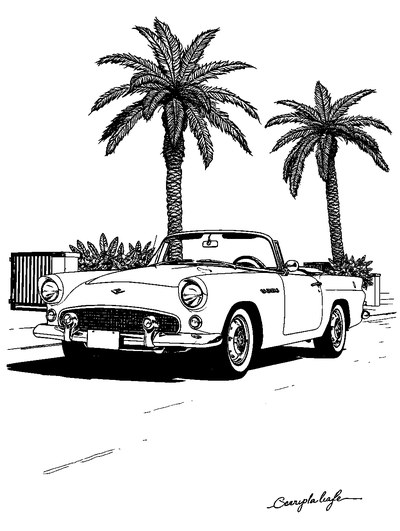
1950s Vintage Convertible Roadster Parked Beside Palm Promenade
Frequently asked questions
Is ColorDood a realistic pencil and crayon coloring app?
ColorDood is freehand coloring with tools that can mimic pencil, marker, watercolor, and other media. The Pencil tool gives a grainy texture, and Marker layers for depth. Results depend on how you use the tools and palettes.
Do I need an Apple Pencil for realistic shading?
No. A finger works for broad shading. A stylus helps with thin lines and small detail. ColorDood supports both on iPad and Android tablets.
Can I get crayon-like texture in a digital app?
Partly. Digital tools can suggest crayon or pencil texture through grainy brushes and layered strokes, but they feel different from wax on paper. Look for a grainy brush and opacity control.
Are free apps good enough for realistic coloring?
They can be. Check the brush quality, palette range, and whether exports are clean. ColorDood is free to download with an optional Premium for unlocks.
What should I check before downloading any coloring app?
Check brush feel, palette range, zoom level, undo steps, offline use, and export options. Try a free version first and test shading on one page before committing.
Ready to play a free coloring game?
Download ColorDood — free AI adult coloring book and coloring game with 250+ free pages (4,500+ with Premium), 50+ color palettes, PDF & HD exports (Premium), and no login required.
