
Mindfulness
ASMR Coloring Games for Relaxation: A Complete Guide
ASMR coloring is about slow, satisfying strokes; here is how ColorDood fits a calm, quiet routine.
Updated November 17, 2026 · 8 min read · 1,045 words
ASMR coloring is the practice of coloring slowly and deliberately so the small, repeated motions feel calm and satisfying. If you have been looking for asmr coloring games for relaxation, ColorDood is a freehand coloring app that fits this style well: pre-drawn outlines, soft palettes, and tools like Watercolor, Glitter, and Neon let you work at your own pace on iPhone, iPad, and Android. The free version includes 250+ pages, so you can start without paying. This guide explains what makes a coloring session feel satisfying, how to set one up, and where ColorDood fits into a quiet daily routine.
What makes ASMR coloring feel satisfying
A coloring session feels satisfying when it is slow, repeatable, and easy to follow. Instead of rushing to finish, you focus on one small area at a time: a petal, a tile, a border. The steady rhythm of choosing a color and filling a shape is what most people mean by ASMR coloring. ColorDood supports this because it is freehand, not color by number, so no two sessions have to look the same. You decide the pace, the palette, and when the page is done. There is no timer and no score to chase. That is the whole appeal.
Sound can play a part too, though it is not required. Some people like a quiet room and the soft tap of a finger on the screen; others color in silence. What matters is a page with clear outlines and enough small spaces to keep your hand moving without effort. Paper coloring books offer a similar rhythm, but a digital app means no sharpening pencils and no cleanup. ColorDood saves each page to your gallery, so you can stop and return later without losing your place. Our guide at /blog/satisfying-games-that-help-you-relax looks at the same slow, repeated motions from a wider angle, and the broader library is at /coloring-pages.
How to set up a calm ASMR coloring session
A good session starts before you color. Pick a page with outlines you like, choose two or three colors, and settle into a comfortable position with the phone propped steady. In ColorDood you can open the Library or swipe through Discover to find a page quickly, then use Fill for broad areas or a finer tool for edges and small shapes. The steps below are a simple routine you can adapt to a short break or a longer evening. For more on choosing pages, see /blog/relaxing-coloring-pages-for-adults, and browse the full library at /coloring-pages whenever you want a fresh start.
- Choose a page with clear outlines and a moderate number of small spaces
- Turn off notifications and set the screen to a comfortable brightness
- Pick two or three colors from a soft palette before you begin
- Use Fill for large areas, then switch to Brush or Pencil for edges
- Zoom in for fine work, and use undo freely if a stroke looks wrong
- Work slowly on one section at a time instead of rushing to finish
- Try a different tool, such as Watercolor or Neon, on a small area
- Leave the canvas when you are done so ColorDood saves the page to your gallery
- Export a PDF when a page is ready if you want a printed copy
- Return the next day and pick up the same page where you left off
Taking your coloring anywhere
One reason people like app-based coloring is that it travels. ColorDood works with no WiFi once pages are available on your device, and core tools plus your gallery stay on your phone with no login and no ads. That means a quiet session on a train, in a waiting room, or at home works the same way. The full offline library download is a Premium feature, so plan ahead if you want every page with you. For download and setup steps, the guide at /blog/asmr-games-free-download-for-android walks through getting the app on Android.
Keep expectations honest. ColorDood is a leisure activity, not medical care, and it does not treat or replace professional support for stress or anxiety. It is simply a calm way to spend a few minutes with art. The library is family-friendly, with original art such as patterns, flowers, food, homes, and vehicles, and no licensed characters. The free tier covers 250+ pages, core tools, and one AI generation a day. Premium is $4.99 a month or $49.99 a year and adds 4,500+ pages, 50+ palettes, all tools, and PDF plus HD or timelapse exports; final prices vary by region. You can compare plans at /pricing, see the full tool list at /features, or pick up free printables at /free-pdfs for a paper option.
Free line art
Pages you can print from this guide
Every thumbnail is a real page from the ColorDood library. Open one to download the PNG or print a PDF — no signup.
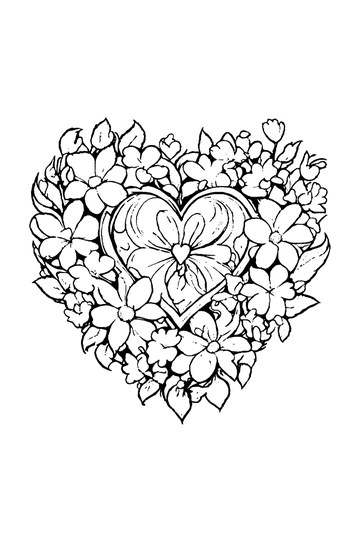
Adult Coloring Page: Heart with Flowers
Abstract Drawing of Upside-Down Sphere with Grid Lines
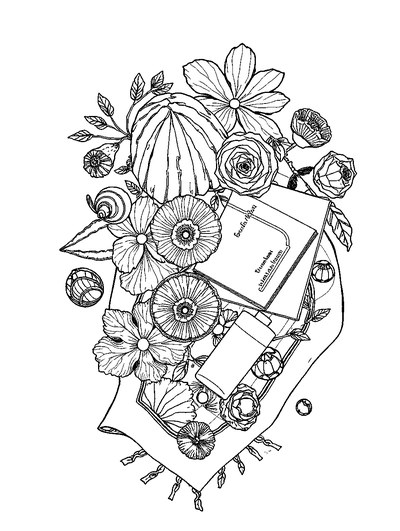
Aesthetic Beach Towel Flat Lay with Shells, Book, and Sun Lotion

Ad-Darr — The Distresser
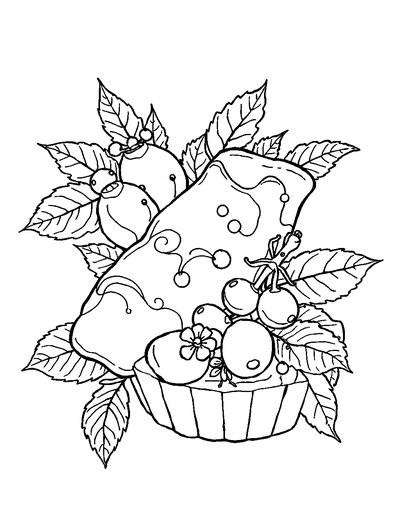
Aesthetic Glazed Fruit Tartlets Topped with Glossy Berries

1950s Vintage Convertible Roadster Parked Beside Palm Promenade
Frequently asked questions
What is ASMR coloring?
ASMR coloring means coloring slowly to enjoy small, satisfying details like the feel of a brush or the neat edge of a filled shape. It is a leisure hobby, not a medical treatment. ColorDood supports it with freehand pages, soft palettes, and calm tools you can use at your own pace.
Are ASMR coloring games free to play?
Yes. ColorDood is free to download on iPhone, iPad, and Android, and the free tier includes 250+ coloring pages, core tools, and one AI generation a day. You can start an ASMR coloring session without paying. Premium, at $4.99 per month or $49.99 per year, adds 4,500+ pages, 50+ palettes, and a full offline library download. Final prices vary by region.
Does ASMR coloring work offline without WiFi?
Yes, once pages are on your device. ColorDood works with no WiFi after pages are available, and core tools plus your on-device gallery stay usable offline with no login and no ads. The full offline library download is a Premium feature. So an ASMR coloring session can happen on a plane or anywhere without a connection. Coloring is a leisure activity, not medical care.
Ready to play a free coloring game?
Download ColorDood — free AI adult coloring book and coloring game with 250+ free pages (4,500+ with Premium), 50+ color palettes, PDF & HD exports (Premium), and no login required.
