Product guide
What Is Freehand Coloring? (vs Color by Number)
Freehand coloring means you choose every color and every area yourself. There are no numbers or guide lines, so the page is open from the first stroke.
Updated November 7, 2026 · 7 min read
**Freehand coloring** means you choose every color and every area yourself. The page has no printed numbers, no required key, and no step-by-step path. You start with an outline and decide what happens next.
People use the phrase to separate it from color by number, where each small region has a printed number that matches a paint or crayon. Freehand is the open version. It asks for more decisions, and some people enjoy that more than a guided path.
In ColorDood, freehand is the default way to work. Each page in the Library opens as a line drawing. You can use any color from any palette, paint any region, and switch between 11 tools. This guide explains what that looks like, who it suits, and what you give up by not having guidance.
Freehand vs. color by number: the plain difference
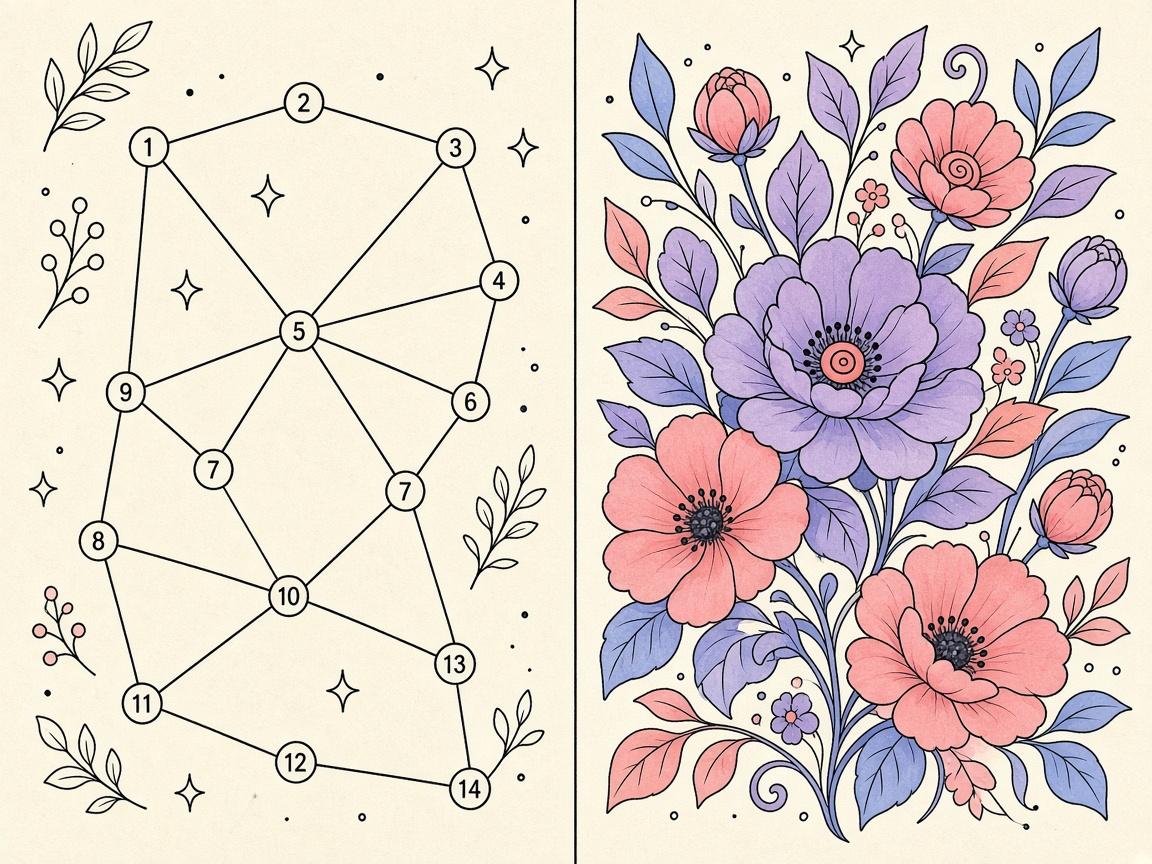
With color by number, the page does part of the planning. Each region is labeled, so you know which color goes where. The finished page often matches a key. With freehand coloring, you do that planning. A sky can be purple. A leaf can be gold. A flower can be three shades of pink with a bright center.
Neither style is better in general. They ask for different things. Numbered pages suit people who want a clear path. Freehand suits people who want to make choices as they go. If you want a side-by-side look, see our guide on paint by number vs freehand coloring. For the number-based style in apps, see our guide on color by number vs coloring apps.
Who does freehand coloring suit?
Freehand tends to suit people who like flexibility. It is not a test of skill, and it does not need a plan before you begin. These groups often enjoy it:
- Adults who want a relaxed session without rules to follow
- Kids who enjoy picking their own colors and are ready for open choices
- Parents who want a page they can finish in one sitting
- People who like experimenting with color mixes, gradients, and textures
- Anyone who has tried numbered pages and felt boxed in
Freehand may feel harder if you want a clear next step every time. In that case, a simpler page with large shapes and a small palette can make the start easier.
How freehand works in ColorDood
Open a page from the Library, from Swipe, or from your Gallery. The canvas is 1040 by 1320 pixels in portrait. Pick a color from the Palette button in the tool dock, or use the color wheel for a custom shade. Then pick a tool. Fill is first in the dock and Brush is second.
**Fill** colors the full enclosed region when you tap it. It is quick for large areas. **Brush** paints strokes, and its size slider runs from 4 to 60. Use a small brush for edges and a large one for backgrounds.
Boundary mode decides where strokes can go. **Inside** is the default. It clips strokes to the enclosed shape where your touch starts. **Free** lets you paint anywhere. The toggle sits in the tool dock and it stays on after you close the app.
Palettes come in 10 styles, including Vibrant, Pastel, Earthy, Jewel, and Space. Each one has about 40 solid swatches, 8 named gradients, and a rainbow swatch. You can change palettes from the Palette button or from Settings. You can also mix paint types on one page. Use solid for one area, a gradient for a sky, and rainbow for a border.
What you give up
Freehand has real trade-offs. There are no hints. If you want to know which color comes next, you have to decide yourself. A blank plan can feel slow at first. Some people spend a long time on the first region and then feel stuck.
You also do not get a finished-looking result by following steps. A freehand page can look uneven, and that is normal. If the open choice feels like too much, try a page with fewer regions, or return to a page you already liked and add small details.
Undo can help. ColorDood keeps up to 12 undo steps, so you can test a color and step back if it does not work. Zoom also helps. Pinch to see fine edges more clearly, then use Fit screen to see the whole page again.
Tips to start freehand
If this is your first freehand page, these steps keep the start simple:
- Choose a page with a few large, simple shapes, such as a basic flower or everyday object.
- Pick a palette and start with three or four colors you like. Add more later.
- Use Fill for large areas first, then use Brush for edges and small details.
- Keep boundary mode on Inside so strokes stay in their shapes.
- Use undo when a choice does not feel right. The canvas keeps up to 12 steps.
- Stop at a natural point. When you leave the canvas after painting, your work is saved to the Gallery.
Give yourself a short session. Ten or fifteen minutes is enough to learn how Fill and Brush feel together.
How your freehand pages are saved
A freehand page is not final until you decide it is. When you leave the canvas after painting, ColorDood saves a copy to your Gallery. Tap that item later to reopen it and keep editing. Each Gallery item can be deleted on its own if you change your mind.
This matters more for freehand than for numbered pages. You may want to try a gradient, look at it, and then decide whether it belongs. Undo covers the last few steps, and the Gallery holds the bigger picture. Work in small stages and do not feel you must finish a page in one go.
If you want a file to share, the Save screen can save a watermarked image or PDF to your device. The watermark shows the app icon and the words Made with ColorDood. Gallery copies stay unwatermarked, so your editable version stays clean.
Freehand and the choices you make
Freehand asks you to decide the color of every region. That can be a relief if you enjoy choices, and it can be tiring if you do not. A helpful middle path is to pick a palette first and limit yourself to four or five colors for the whole page. The page then feels coherent, even though every decision is yours.
Another approach is to choose a color family and vary the shade. A page of blues, from pale to deep, feels calm and unified. A page of warm reds and golds can feel lively. Neither one is correct. They are simply different starting points.
What this guide does not cover
This guide is about the style of coloring. It is not a drawing course, and it does not teach color theory in depth. It also makes no health claims. Coloring is a leisure activity, not medical advice, and ColorDood does not promise any learning or wellbeing outcome.
If you want a deeper look at tools and settings, read our guide on ColorDood brush tools. If you are comparing apps, check each app’s own page list, tool set, and privacy notes instead of relying on a summary. Freehand is one way to color. It is not the only good way.
Frequently asked questions
Is freehand coloring the same as coloring inside the lines?
Not exactly. Freehand means you choose the colors and decide how to fill each area. You can still stay inside the lines if you want. ColorDood’s Inside boundary mode helps brush strokes stay within the shape where your touch begins.
Do I need art skills for freehand coloring?
No special skill is needed. Many people start with simple pages, use the Fill tool for big areas, and add detail slowly. The result does not have to look like a finished drawing.
Can kids use freehand coloring in ColorDood?
Yes, if the child likes open choices. Parents may want to start with simple pages and a small palette. The app does not promise any learning outcome.
Does ColorDood have number-based pages?
The guidance in this article describes ColorDood’s freehand approach. Check the Library and the app itself to see what pages and tools are available in your version.
Ready to play a free coloring game?
Download ColorDood — free AI adult coloring book and coloring game with 1000+ pages, 11 tools, calming sounds, and no login required.