
App guides
No WiFi Games on Android: Offline Picks That Work Anywhere
A quick guide to no wifi games on Android, with a look at how to get ColorDood ready before you lose your connection.
Updated November 17, 2026 · 8 min read · 1,121 words
If you want no wifi games for Android, the simplest answer is a game that keeps working after its content is saved on your device. ColorDood is a free coloring app on Google Play that fits this need. Once a page is on your phone, the gallery and core painting tools stay available with no connection. You do not need an account to start, and there are no ads in the way. The free version includes 250+ coloring pages and one AI generation a day. Premium adds 4,500+ pages, more tools, and a full offline library download. This guide shows how to get ready before you lose signal, what keeps working offline, and what still needs a connection.
What no wifi games really need
A no wifi game needs to store what you need on the device before the connection drops. For ColorDood, that means opening the pages you want while you still have WiFi, then letting them save to the gallery. After that, you can color on a plane, on a subway, or in a place with weak signal. The core brushes and your saved work do not need to connect to anything. Freehand coloring works the same way offline as it does online: you choose colors and fill the pre-drawn outlines by hand. There is no drawing skill required and no numbered cells to follow, so it is easy to pick up for a few minutes and set down again.
It helps to know the limit. Pages you have never opened may not be on the device yet, and AI page generation needs a connection, so create any custom pages before you leave. If you want the whole library available offline, Premium includes a full offline library download. You can browse the free set at /coloring-pages, and the /features page lists what is included in each tier. The free tier still covers plenty: 250+ pages and the main tools are enough for a long trip, a daily commute, or a weekend away. Keep a few pages open in the gallery so you always have a choice ready when the signal drops.
Get ColorDood ready before you go offline
A few minutes of setup makes the difference between a game that works and one that stalls. Do this while you still have WiFi, so nothing has to load later. The steps below are short, and you only need to repeat them when you want new pages on the device. It is worth doing once before any trip, even a short one, so the first page is ready the moment you need it.
- Install ColorDood from Google Play or the App Store. The app has a small download size and needs no sign-up, so you can open it as soon as it finishes installing.
- Open the pages you want to color so they are saved on your device. Pick a mix of simple and detailed pages, since a short wait may call for a quicker page.
- Check your gallery to confirm the pages are there before you leave. The gallery keeps your work on the phone, and you can return to a page later.
- Turn on airplane mode and open a page to test that it works offline. If the page opens and the tools respond, you are ready to go.
- For the full library offline, turn on the Premium download before you go. This is the step that makes all 4,500+ pages available with no connection.
- Leave the canvas when you are done so your work saves to the gallery. That way the next session opens on the same page, exactly where you stopped.
What to do when you have no connection
With pages on your device, you can keep coloring the same way you do online. Fill large areas first, then add detail with the brush, pencil, marker, or watercolor tools. Pinch to zoom for small spaces, and use undo if a stroke does not look right. Your progress stays in the on-device gallery, so there is nothing to sync later and no account to sign in to when the signal comes back. If you want a printed copy, save the page as an image or a PDF for printing when you have a printer. ColorDood is a leisure activity and does not replace any professional support; the goal is simply a few quiet minutes with a page you chose yourself.
If you run out of saved pages, you still have options. Keep coloring the pages you already have, or print a backup from /free-pdfs before you travel. The guide at /blog/offline-games-for-android-no-wifi covers more offline game choices for Android, and /blog/casual-games-for-a-calm-break looks at calm breaks that do not need a connection. If you are deciding what to install, /blog/android-games-offline-free-download goes into more detail on free downloads. Offline coloring is not a way to treat stress or anxiety, and it is not medical care. Think of it as a simple pastime that travels well, with no account to manage and no connection to find.
Free line art
Pages you can print from this guide
Every thumbnail is a real page from the ColorDood library. Open one to download the PNG or print a PDF — no signup.

Adult Coloring Page: Heart with Flowers
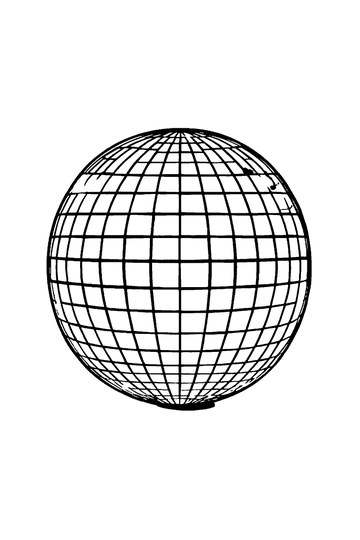
Abstract Drawing of Upside-Down Sphere with Grid Lines

Aesthetic Beach Towel Flat Lay with Shells, Book, and Sun Lotion

Ad-Darr — The Distresser

Aesthetic Glazed Fruit Tartlets Topped with Glossy Berries

1950s Vintage Convertible Roadster Parked Beside Palm Promenade
Frequently asked questions
Which no wifi games work on Android without an account?
ColorDood is a no wifi coloring game on Android and iOS that needs no login. Once pages are on your device, the gallery and core tools work with no connection. The free version includes 250+ pages and one AI generation each day. Premium adds 4,500+ pages and a full offline library download. There are no ads, so a session is not interrupted.
Do no wifi games like ColorDood work in airplane mode?
Yes. ColorDood works in airplane mode once the pages you want are on your device. You can color, save to the gallery, and use the core tools without a signal. Pages you have not opened yet, and new AI generations, need a connection. If you want the whole library offline, the full download comes with Premium. The /features page explains what is included.
Are no wifi games free to download?
ColorDood is free to download on Google Play and the App Store. The free tier gives you 250+ coloring pages, core tools, and one AI generation a day, with no login or ads. Premium costs $4.99 per month or $49.99 per year (final price varies by region) and adds 4,500+ pages, more tools, PDF and HD exports, and the full offline library.
Ready to play a free coloring game?
Download ColorDood — free AI adult coloring book and coloring game with 250+ free pages (4,500+ with Premium), 50+ color palettes, PDF & HD exports (Premium), and no login required.
