
Coloring game
Casual Games for a Calm Break: A Simple Coloring Guide
Casual games are easy to pick up and put down; here is how a short coloring session can fit a calm break.
Updated November 17, 2026 · 8 min read · 1,082 words
Casual games are short, easy-to-start activities you can pick up in seconds and set down the moment a break ends. If you want a calm option, a coloring app is a simple place to begin. ColorDood is a free coloring book app for adults, kids, and families on iPhone, iPad, and Android, and it fits this genre well: open a pre-drawn page, choose a color, and fill areas with a tap or a brush. There are no numbered cells to follow and no drawing skill needed. This guide explains what makes a game casual, how to start a short session, and how to keep it offline. ColorDood is a leisure activity, not medical care.
What makes a game casual?
A casual game is one you can start quickly, understand without a tutorial, and stop at any time. There is no long story to follow, no daily obligation, and no penalty for leaving halfway. Coloring fits that shape. In ColorDood you open a page with clear outlines, pick from a palette, and tap to fill a region or drag a brush across it. The 11 tools include Fill, Brush, Pencil, Marker, Watercolor, Neon, Glitter, Spray, Smudge, Eraser, and Eyedropper, so you can keep a session as simple or as detailed as you like. You choose your own pace. If you only have three minutes, fill two areas and leave. If you have twenty, add shading and texture. Nothing is lost when you stop.
Because casual games are easy to enter, they suit short gaps: a commute, a wait, or a few minutes before bed. ColorDood adds a few features that make those gaps easier. Swipe-to-discover lets you move through pages quickly until one catches your eye, and Daily Calm puts a featured page at the top of the Library so you do not have to choose. Pages are pre-drawn, so you never face a blank canvas. The library is family-friendly original art: patterns, flowers, food, homes, vehicles, objects, and 99 Names of Allah. It excludes animals, birds, holiday packs, and licensed characters. For a broader look at this genre, the guide at /blog/offline-games-for-android-no-wifi covers offline play in more depth, and /features lists the tools mentioned here.
Start a short session in a few steps
Once you know what casual games feel like, the practical question is how to begin. ColorDood keeps the setup small. Open the app, choose a page from the Library or Swipe deck, and decide on a palette before you touch the canvas. Time is easier to manage when the choice is already made. The guide at /blog/no-wifi-games-offline-android-guide explains how to keep pages ready ahead of time, and /coloring-pages shows the range of pre-drawn designs. The checklist below assumes a five-to-ten-minute break, but it works at any length. Stop when your timer ends, not when the page is finished. Leaving the canvas after a stroke saves your work to the on-device gallery, so the next session starts where this one stopped.
- Open ColorDood and pick a pre-drawn page from the Library, Daily Calm, or the Swipe deck
- Choose one palette so you are not deciding colors in the middle of the session
- Use Fill to lay down base color in the large areas first
- Add a little detail with Brush, Pencil, or Watercolor if time allows
- Leave the canvas with a minute to spare so the gallery saves your work
- Return to the same page later instead of starting a new one each break
Keep the break calm and offline
A calm break works best when nothing interrupts it. ColorDood needs no account, and it shows no ads, so opening the app does not lead to a sign-up screen or a pop-up. Core tools and your gallery stay on your device, and coloring works with no WiFi once pages are available on your phone or tablet. The full offline library download is a Premium feature, so plan ahead if you want a large set of pages ready for a flight. For the details on this, the guide at /blog/android-games-offline-free-download walks through offline setup, and /download shows where to install ColorDood on iPhone, iPad, or Android.
Keep expectations gentle. ColorDood is a leisure activity, not medical care, and it does not diagnose, treat, or replace professional support for stress or anxiety. It is simply a quiet way to spend a few minutes with a pre-drawn page. If you like a finished sheet to keep, you can export an image or print a PDF; the app is used in 48+ countries with 1k+ downloads. Free PDFs are also available at /free-pdfs, and /pricing explains what Premium adds. For a short break, though, you do not need any of that. Pick a page, fill a few areas, and leave when you are ready.
Free line art
Pages you can print from this guide
Every thumbnail is a real page from the ColorDood library. Open one to download the PNG or print a PDF — no signup.
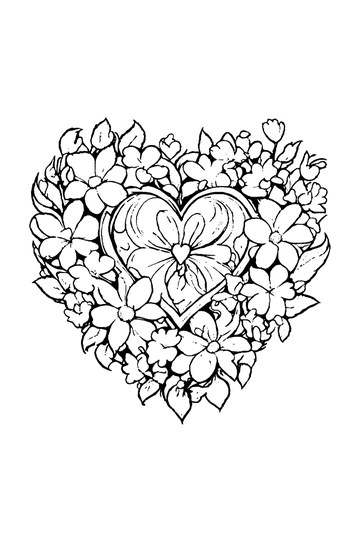
Adult Coloring Page: Heart with Flowers

Abstract Drawing of Upside-Down Sphere with Grid Lines
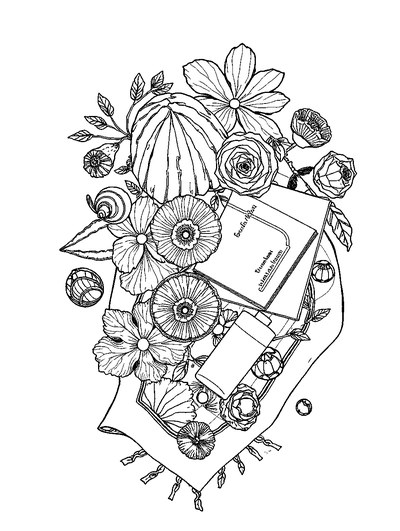
Aesthetic Beach Towel Flat Lay with Shells, Book, and Sun Lotion

Ad-Darr — The Distresser
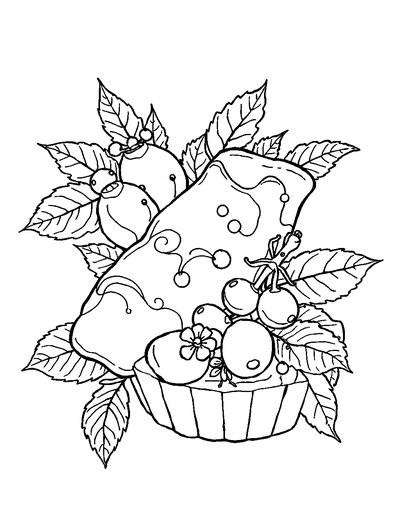
Aesthetic Glazed Fruit Tartlets Topped with Glossy Berries

1950s Vintage Convertible Roadster Parked Beside Palm Promenade
Frequently asked questions
What are casual games for a calm break?
Casual games for a calm break are simple activities you can start in seconds and stop at any moment, with no long learning curve. A coloring app like ColorDood fits: pick a pre-drawn page, fill areas with a tap or a brush, and leave whenever you like. ColorDood is a leisure activity, not medical care, and it does not replace professional support.
Which casual games work offline without WiFi?
Many casual games need a connection, but a coloring app can work offline once pages are on your device. In ColorDood, your gallery and core tools stay on-device, and no login is required. The full offline library download is a Premium feature. If you want casual games for a flight or commute, ColorDood is a calm pick after pages are available on your phone.
Are casual games like coloring good for stress?
Coloring is a leisure activity people enjoy for a quiet moment, but ColorDood makes no medical claim. It is not a treatment and does not diagnose, cure, or replace professional support for stress or anxiety. If you want casual games that simply fill a short break calmly, ColorDood offers freehand pages, gentle palettes, and a small download on iPhone, iPad, and Android.
Ready to play a free coloring game?
Download ColorDood — free AI adult coloring book and coloring game with 250+ free pages (4,500+ with Premium), 50+ color palettes, PDF & HD exports (Premium), and no login required.
