
Mindfulness
Mindfulness App Alternative: Calm Coloring in ColorDood
If a mindfulness app is not for you, ColorDood offers calm, freehand coloring you can do offline, with no login and no pressure.
Updated November 17, 2026 · 8 min read · 1,159 words
If you are looking for a mindfulness app alternative that is simple, free, and easy to put down, ColorDood is a calm freehand coloring game for iPhone, iPad, and Android. Instead of guided sessions or long programs, you open a page, pick a few colors, and fill in the shapes at your own pace. A session can last two minutes or twenty. This is a leisure activity, not medical care: it does not diagnose, treat, or replace professional support, and it makes no health promises. What it offers is a quiet, hands-on way to spend a few minutes away from a screen full of notifications. The pages are pre-drawn, so you do not need any drawing skill to begin.
Why choose a calm coloring alternative
A mindfulness app alternative is useful when you want a calm activity without setting up an account or following a structured program. ColorDood fits that need: you tap a page, choose from 11 tools, and start coloring. There is no score, streak pressure is optional, and nothing to finish before you stop. You decide how long to stay and when to close the app.
Many people also want something that works away from home. ColorDood stores your gallery on your device and keeps core tools available offline once pages are on your phone, so a quiet session does not depend on a strong connection. If you want broader background on coloring and calm routines, the guide at /blog/stress-relief-through-coloring-games covers the wider topic, while /blog/relaxing-games-for-adults-and-kids looks at simple games for all ages.
Start coloring in a few minutes
Getting started takes about a minute, and you can do it without an account. Download ColorDood, open a page from the Library, and choose a palette. From there, work however you like: there is no timer, no correct order, and no result you have to reach. A page you do not finish today can wait in your gallery for another day.
- Download ColorDood from the App Store for iPhone or iPad, or from Google Play for Android.
- Open a page in the Library, or pick Daily Calm for a featured page that changes each day.
- Choose a palette, then use Fill to cover large areas or Brush and Watercolor for detail.
- Color for as long or as little as you like; there is no score and no countdown.
- Leave the canvas to save your work automatically to your on-device gallery.
- Export an image, a PDF for printing, or a timelapse video when you want to keep or share it.
What ColorDood is honest about
ColorDood is a coloring game, not a health service. It does not diagnose, treat, or cure anything, and it does not replace advice or support from a qualified professional. If coloring helps you slow down, that is a personal experience, not a clinical outcome we can promise. Treat it as a small, pleasant way to pass a few minutes, not as a step in any care plan.
It is also worth knowing what the app is not. ColorDood is freehand coloring with pre-drawn outlines, not color by number, so you choose every color yourself. The library is original, family-friendly art: patterns, flowers, food, homes, vehicles, objects, and the 99 Names of Allah, with no animals, holiday packs, or licensed characters. Browse categories at /coloring-pages, see what the tools do at /features, or pick up free printables at /free-pdfs.
What to look for in a mindfulness app alternative
If coloring is not for you, a few simple checks can help you decide on any calm activity. Look for something you can start in under a minute, that does not ask for an account, and that you can stop whenever you like. Freehand coloring apps meet those checks because a page is always ready and there is no lesson plan to follow. Think about whether you want to use it offline, whether you want to print your work, and whether a free tier is enough before you pay.
It also helps to choose something that fits your device and your budget. ColorDood runs on iPhone, iPad, and Android, and the free version already includes a large library, core tools, and one AI page a day. If you later want more pages, palettes, or export options, Premium is an optional step, not a requirement. That makes it easy to try a quiet session without committing to a subscription first.
Make it a small daily habit
If you want a gentle routine, ColorDood keeps it light. Daily Calm puts a featured page at the top of the Library each day, and a daily streak grows when you color and save one page. Opening the app alone does not count, and missing a day is fine; you do not need a streak to enjoy a session. The point is a few relaxed minutes, not a target you have to hit every morning.
You can also color a page at home and print it later. Export a PDF or image when you want paper, or save a timelapse video to watch your work back. For more on gentle routines, see /blog/anxiety-relief-with-coloring-activities. Pricing details, including what is free and what is in Premium, are always listed at /pricing, and you can install the app at /download.
Free line art
Pages you can print from this guide
Every thumbnail is a real page from the ColorDood library. Open one to download the PNG or print a PDF — no signup.
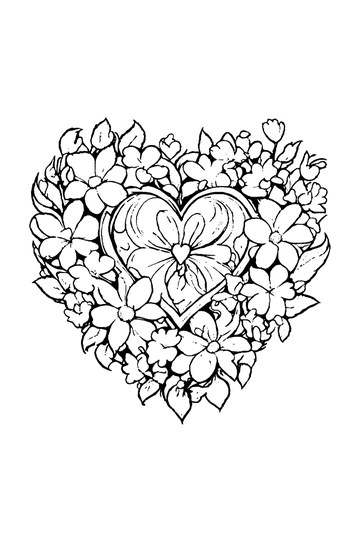
Adult Coloring Page: Heart with Flowers
Abstract Drawing of Upside-Down Sphere with Grid Lines
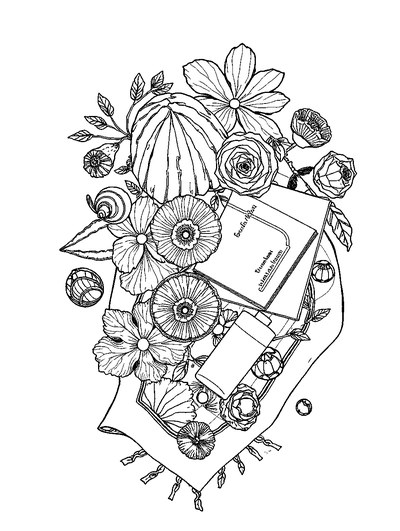
Aesthetic Beach Towel Flat Lay with Shells, Book, and Sun Lotion

Ad-Darr — The Distresser
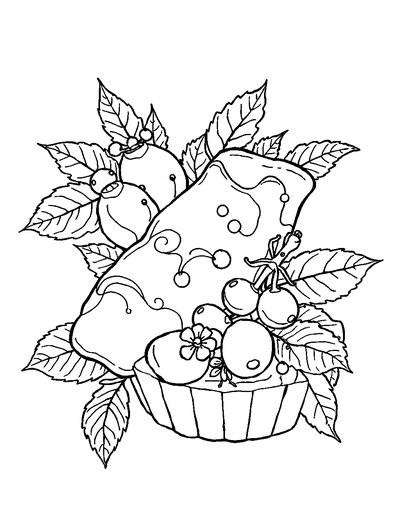
Aesthetic Glazed Fruit Tartlets Topped with Glossy Berries

1950s Vintage Convertible Roadster Parked Beside Palm Promenade
Frequently asked questions
Is ColorDood a good mindfulness app alternative for beginners?
Yes, if you want a simple, quiet activity. ColorDood is a freehand coloring game with pre-drawn outlines, so you do not need any drawing skill. Open a page, choose from 11 tools, and fill the shapes at your own pace. A session can be as short as two minutes. It is a leisure activity, not medical care, and it does not replace professional support.
Does this mindfulness app alternative work offline without an account?
Yes. ColorDood keeps your gallery and core tools on your device, and coloring works with no WiFi once pages are available on your phone or tablet. No login is required, and there are no ads. The full offline library download is a Premium feature. Final pricing for Premium varies by region.
Can I print or save pages from this mindfulness app alternative?
Yes. ColorDood lets you export your artwork as an image, a PDF for printing, or a timelapse video of your coloring. PDF and HD/timelapse exports are included with Premium. You can also save copies to your on-device gallery. For paper pages without the app, free printables are available at /free-pdfs.
Ready to play a free coloring game?
Download ColorDood — free AI adult coloring book and coloring game with 250+ free pages (4,500+ with Premium), 50+ color palettes, PDF & HD exports (Premium), and no login required.
