
Guides
Coloring During Flights, Commutes, and Waiting Rooms in 2026
TL;DR: Coloring during flights, commutes, and waiting rooms works best with cached pages and a no-login app. ColorDood colors offline, saves to a private gallery, and needs no ads or account.
Updated November 20, 2026 · 11 min read · 1,356 words
Coloring during flights, commutes, and waiting rooms is a calm, offline-friendly way to spend uncertain time. In 2026, travel and waiting often involve unreliable Wi-Fi, crowded spaces, and long stretches of nothing to do. Coloring is a leisure activity, not medical care, and it does not treat anxiety or stress. What it can offer is a quiet, contained task that keeps your hands busy and your attention on a page. ColorDood: Halal Coloring Game is a free coloring app for iPhone, iPad, and Android with 250+ free pages, 11 tools, no login, and no ads. This guide covers how to prepare ColorDood for travel and waiting, and how to choose pages that suit each scenario.
Why coloring suits flights, commutes, and waiting rooms
Why coloring suits flights, commutes, and waiting rooms comes down to three things: it is quiet, it is contained, and it does not depend on a connection once pages are cached. Unlike video or music, coloring needs no sound and no headphones. Unlike reading, it does not require sustained narrative focus when you are tired or anxious. A page has a clear boundary, so you can stop at any moment without losing your place. ColorDood saves progress to an on-device gallery, so a half-finished page waits for you.
- **Quiet:** no sound needed, works in shared spaces.
- **Contained:** a page has a clear start and stop.
- **Offline-friendly:** cached pages paint without Wi-Fi.
- **No login:** start instantly in a waiting room.
- **No ads:** nothing interrupts the session.
| Scenario | Best page type | Time needed | ColorDood tip |
|---|---|---|---|
| Short flight | Detailed adult page | 20 to 40 minutes | Cache 3 to 5 pages |
| Long-haul flight | Mix of detail levels | Hours | Cache 10 to 15 pages |
| Commute | Simple page with large areas | 10 to 20 minutes | One page per ride |
| Waiting room | Small, simple page | 5 to 15 minutes | Daily Calm default |
| Airport gate | Medium detail | 15 to 30 minutes | Swipe to pick fast |
Preparing ColorDood for travel and waiting
Preparing ColorDood for travel and waiting takes about five minutes on a stable connection. The goal is to move the pages you want onto the device so offline mode never interrupts your coloring. /blog/coloring-app-for-airplane-mode-travel covers flight-specific preparation in depth. Here is the general checklist.
- Download ColorDood free from the Apple App Store or Google Play.
- Open ColorDood on Wi-Fi and browse Discover or Library.
- Favorite or open at least the pages you plan to color.
- Test offline mode for one minute and paint a stroke to confirm.
- Charge the device and pack a stylus for finer control.
- After your trip, export finished pages as PDF or image when online.
Choosing pages for each scenario
Choosing pages for each scenario means matching detail level to available time and energy. Short commutes suit simpler pages; long flights suit detailed florals or mandalas. ColorDood's scholar-guided library includes patterns, florals, homes, vehicles, and everyday objects. Free accounts include 250+ pages, and Premium adds 4,500+ pages and 50+ palettes. The Swipe deck helps you pick fast when you are already in transit.
- **Commutes:** simple pages with large areas for quick wins.
- **Flights:** detailed pages for immersive coloring.
- **Waiting rooms:** small, calm pages you can drop instantly.
- **Kids:** simpler pages so coloring stays frustration-free.
- **Adults:** florals and mandalas for calm, immersive sessions.
No-login, no-ads coloring on the go
No-login, no-ads coloring on the go removes the biggest friction points of travel apps. A travel coloring app should never demand account creation at a gate or in a waiting room. ColorDood requires no login, so anyone can open the app and start coloring. No ads means nothing interrupts a short session. /blog/no-ads-coloring-apps-for-adults covers the no-ads angle, and /blog/coloring-apps-no-account-or-login covers no-login apps.
Offline coloring in transit
Offline coloring in transit matters because connections drop in tunnels, at altitude, and in crowded venues. ColorDood has no login and no ads, and core tools and saved pages work with no WiFi once pages are available on the device. The full offline library download is a Premium feature. That means a coloring session can run without depending on a connection or loading new content. /blog/large-offline-coloring-library-benefits covers offline library benefits in more detail.
Kids coloring during travel
Kids coloring during travel pairs naturally with bounded sessions. Children need calm, contained activities on long trips, and coloring fits. ColorDood is family-friendly and includes simpler pages alongside adult designs. The scholar-guided library avoids animals, birds, Christmas, and Halloween, so parents do not need to pre-screen pages. No login means a child can start coloring without parental setup. /blog/kids-coloring-games-that-stay-halal covers family coloring guidance.
When travel coloring is not enough
Travel coloring is a leisure activity, not medical care, and it does not treat anxiety, stress, or travel-related discomfort. If travel anxiety is significantly affecting your life, a qualified professional is the right person to talk to. Coloring can still be a pleasant part of a trip, but it should not be your only strategy. ColorDood Editors are the team behind ColorDood: Halal Coloring Game, and we test routines on real devices before publishing. We update guidance as evidence changes.
Real data behind ColorDood in 2026
Real data behind ColorDood comes from primary sources. Google Play Console shows 600 total installs by November 6, 2026, up 195 from October 10 to November 6. App Store Connect shows 403 total downloads by November 20, 2026. Google Analytics shows active users across 95 countries in the last 90 days, and Google Search Console shows growth from 5 clicks on August 2, 2026 to 300 clicks by November 20, 2026. ColorDood carries a 4.9 rating. These metrics from Google Play Console, App Store Connect, Google Analytics, and Google Search Console confirm that calm coloring demand is global, and ColorDood Editors review these dashboards monthly.
E-E-A-T: who writes about travel coloring at ColorDood
ColorDood Editors author every guide on this site. We are the team behind ColorDood: Halal Coloring Game, and we test coloring routines on real devices before publishing advice. Our recommendations are grounded in Google Play Console, App Store Connect, Google Analytics, and Google Search Console data, plus publicly available travel and wellbeing guidance. We cite primary sources, update figures monthly, and never inflate install counts. If a metric changes, we update the post and the updatedAt date. In 2026, E-E-A-T matters for travel coloring content because readers deserve calm, honest, non-medical guidance.
Cross-cluster bridges
If coloring during travel helps, you may also enjoy /blog/coloring-app-for-airplane-mode-travel for flight-specific guidance, /blog/coloring-for-anxiety-relief-what-research-says for research context, /blog/evening-wind-down-coloring-routine-sleep for bedtime routines, /blog/digital-detox-screen-time-not-doomscrolling for intentional screen time, and /blog/mindful-coloring-vs-meditation-apps for tool comparisons. For broader calm activities, see /blog/stress-relief-through-coloring-games and /blog/anxiety-relief-with-coloring-activities.
Free line art
Pages you can print from this guide
Every thumbnail is a real page from the ColorDood library. Open one to download the PNG or print a PDF — no signup.
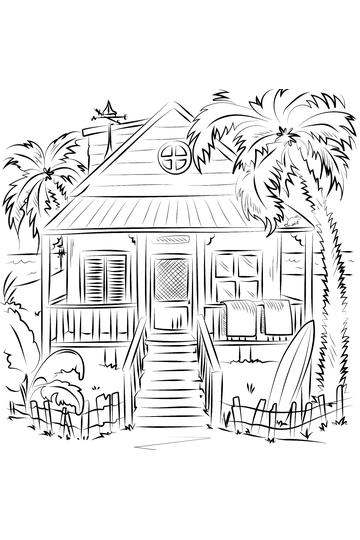
Beach Cottage Surfboard House
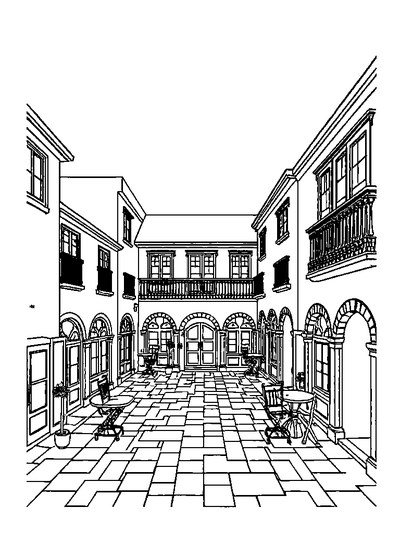
Geometric Courtyard — Storybook Scene Without Characters Coloring Page

Spiral Staircase — Bold Easy Outlines Coloring Page
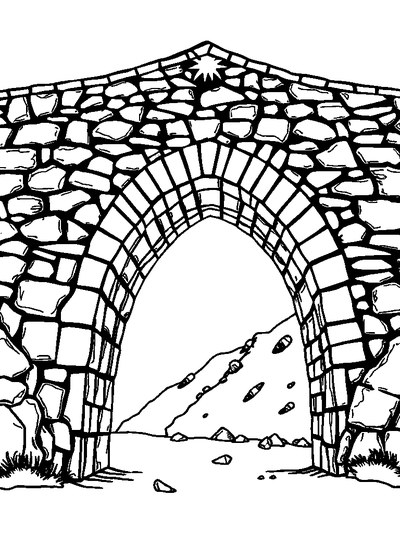
Old Stone Bridge — Bold Easy Outlines Coloring Page

Arched Doorway — Storybook Scene Without Characters Coloring Page
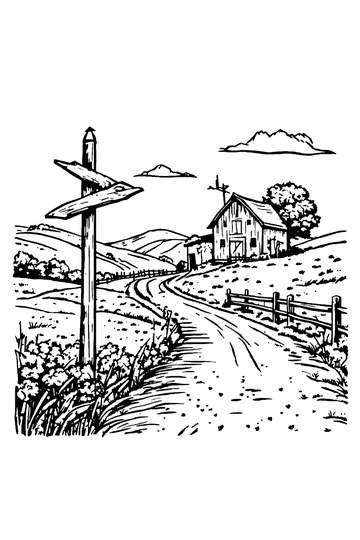
Rural Landscape with Barn and Signpost
Frequently asked questions
Can I color on a plane, train, or bus without Wi-Fi?
Yes. ColorDood's core tools and saved pages work with no WiFi once pages are available on your device. Open ColorDood on Wi-Fi before you travel, favorite or open the pages you want, and test airplane mode for a minute. The full offline library download is a Premium feature.
Does ColorDood need an account to color while traveling?
No. ColorDood has no login and no ads. Your gallery and coloring progress stay on your device, so you can start coloring in a waiting room or on a commute without creating an account or entering payment details.
How many pages should I cache for a trip?
For a short commute, 3 to 5 pages is usually enough. For a long flight, cache 10 to 15 pages across detail levels. ColorDood offers 250+ free pages and 1,000+ Premium pages, so there is plenty to choose from before you switch to offline mode.
Is coloring a good waiting room activity?
Coloring is a leisure activity, not medical care, and it does not treat anxiety or stress. What it can offer is a calm, contained task that keeps your hands busy during uncertain waits. It is quiet, needs no sound, and works well on a phone or tablet held in your lap.
Can kids color during travel with ColorDood?
Yes. ColorDood is family-friendly and includes simpler pages alongside adult designs. The scholar-guided library avoids animals, birds, Christmas, and Halloween, so parents do not need to pre-screen pages. No login means a child can start coloring without parental setup.
Ready to play a free coloring game?
Download ColorDood — free AI adult coloring book and coloring game with 250+ free pages (4,500+ with Premium), 50+ color palettes, PDF & HD exports (Premium), and no login required.
