
Guides
Coloring for Seniors and Caregivers: Calm, Accessible, Offline in 2026
TL;DR: Coloring for seniors and caregivers works best with large areas, zoom, and simple tools. ColorDood is free, no-login, no-ads, and offline-capable on iPhone, iPad, and Android, with 250+ free pages.
Updated November 20, 2026 · 11 min read · 1,293 words
Coloring for seniors and caregivers can be a calm, accessible, offline-friendly activity when it is kept simple. In 2026, many older adults and their caregivers look for low-pressure hobbies that do not require accounts, subscriptions, or constant connectivity. Coloring is a leisure activity, not medical care, and it does not treat or prevent cognitive or physical conditions. What it can offer is a quiet, hands-on task with clear boundaries and no performance pressure. ColorDood: Halal Coloring Game is a free coloring app for iPhone, iPad, and Android with 250+ free pages, 11 tools, pinch-to-zoom, undo, no login, and no ads. This guide covers accessibility, caregiver respite, and how to choose pages that suit older adults.
Accessibility features that help seniors color
Accessibility features that help seniors color include zoom, undo, simple tools, and large touch targets. ColorDood supports pinch-to-zoom so fine details can be enlarged, and undo lets a misplaced stroke be reversed without starting over. A larger screen, such as an iPad, reduces strain. Pages with fewer, larger areas are easier to fill, and the Fill tool can cover big regions quickly. These features make coloring more comfortable for many older adults, though individual needs vary and should be discussed with a qualified professional.
- **Pinch-to-zoom:** enlarge small areas for easier coloring.
- **Undo:** reverse mistakes without restarting the page.
- **Fill tool:** cover large regions quickly with one tap.
- **Simple palettes:** fewer color choices reduce decision fatigue.
- **Larger screens:** iPad or tablet reduces eye and hand strain.
| Need | ColorDood feature | How to use it |
|---|---|---|
| Small details hard to see | Pinch-to-zoom | Zoom in, color, zoom out to check |
| Misplaced strokes | Undo | Reverse and retry without restarting |
| Large empty areas | Fill tool | Tap to fill, then add detail |
| Too many choices | One palette | Pick a palette before starting |
| Eye strain | Brightness control | Lower brightness, rest eyes |
Caregiver respite through short coloring sessions
Caregiver respite through short coloring sessions works because the activity is contained and easy to pause. A caregiver can color for 10 to 15 minutes between tasks, then leave the canvas so ColorDood saves progress to the on-device gallery. There is no login, no ads, and no requirement to finish a page. The routine can be shared with the person being cared for, turning coloring into a quiet, side-by-side activity. /blog/coloring-for-caregivers-and-seniors covers related caregiver guidance, and /blog/coloring-with-a-friend-or-partner-on-one-phone explores shared coloring.
- Choose one calm page in advance to avoid browsing during a busy day.
- Set a 10 to 15 minute timer so the break has a clear end.
- Color alongside the senior if they enjoy company, or alone for quiet.
- Leave the canvas when time is up so progress saves locally.
- Return to the same page later without losing work.
Choosing pages and palettes for older adults
Choosing pages and palettes for older adults means favoring larger shapes and gentler themes. Florals, fruit, homes, and simple patterns tend to be comfortable. ColorDood's free tier includes 250+ pages, and Daily Calm rotates one featured page per day. Palettes like Pastel, Ocean, Forest, and Sunset keep color soft. If a page feels too dense, switch to a simpler one. Premium unlocks 4,500+ pages and 50+ palettes for more choice, but the free tier is enough to start.
- **Favor large areas:** easier to fill, less strain.
- **Gentle themes:** florals, fruit, homes, soft patterns.
- **Soft palettes:** Pastel, Ocean, Forest, Sunset.
- **Avoid very dense mandalas:** save for days with more energy.
- **One page at a time:** keep decisions few.
Offline coloring in care settings
Offline coloring in care settings matters because Wi-Fi can be unreliable in homes, clinics, and waiting rooms. ColorDood has no login and no ads, and core tools and saved pages work with no WiFi once pages are available on the device. The full offline library download is a Premium feature. That means a senior can color in a care setting without depending on a connection or loading new content. /blog/coloring-during-flights-commutes-waiting-rooms covers travel and waiting room coloring in more detail.
Safety and when to consult a professional
Safety and when to consult a professional is an important part of coloring for seniors and caregivers. Coloring is a leisure activity, not medical care, and it does not treat or prevent any condition. If a senior has vision impairment, hand tremor, cognitive concerns, or pain, consult a qualified professional before starting. Color is not a substitute for therapy, rehabilitation, or medical advice. ColorDood Editors are the team behind ColorDood: Halal Coloring Game, and we test routines on real devices before publishing. We update guidance as evidence changes.
Real data behind ColorDood in 2026
Real data behind ColorDood comes from primary sources. Google Play Console shows 600 total installs by November 6, 2026, up 195 from October 10 to November 6. App Store Connect shows 403 total downloads by November 20, 2026. Google Analytics shows active users across 95 countries in the last 90 days, and Google Search Console shows growth from 5 clicks on August 2, 2026 to 300 clicks by November 20, 2026. ColorDood carries a 4.9 rating. These metrics from Google Play Console, App Store Connect, Google Analytics, and Google Search Console confirm that calm coloring demand is global, and ColorDood Editors review these dashboards monthly.
E-E-A-T: who writes about senior coloring at ColorDood
ColorDood Editors author every guide on this site. We are the team behind ColorDood: Halal Coloring Game, and we test coloring routines on real devices before publishing advice. Our recommendations are grounded in Google Play Console, App Store Connect, Google Analytics, and Google Search Console data, plus publicly available accessibility and caregiving guidance. We cite primary sources, update figures monthly, and never inflate install counts. If a metric changes, we update the post and the updatedAt date. In 2026, E-E-A-T matters for coloring for seniors and caregivers content because readers deserve calm, honest, non-medical guidance.
Cross-cluster bridges
If coloring for seniors and caregivers helps, you may also enjoy /blog/coloring-for-anxiety-relief-what-research-says for research context, /blog/evening-wind-down-coloring-routine-sleep for bedtime routines, /blog/digital-detox-screen-time-not-doomscrolling for intentional screen time, /blog/coloring-during-flights-commutes-waiting-rooms for travel coloring, and /blog/mindful-coloring-vs-meditation-apps for tool comparisons. For broader calm activities, see /blog/stress-relief-through-coloring-games and /blog/anxiety-relief-with-coloring-activities.
Free line art
Pages you can print from this guide
Every thumbnail is a real page from the ColorDood library. Open one to download the PNG or print a PDF — no signup.

Black and White Sailing Ship Illustration

Seaplane On Water — Vintage Poster Style Coloring Page

Desert Route 66 Highway Scene with Distant Retro Coupe Cruising
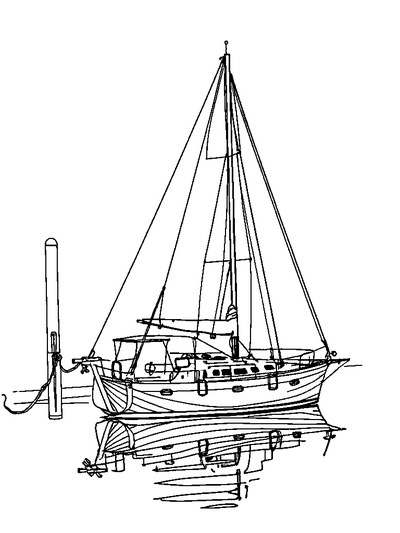
Sailboat At Harbor — Geometric Composition Coloring Page

Sunrise Hot Air Balloon Festival Filling the Open Mountain Basin
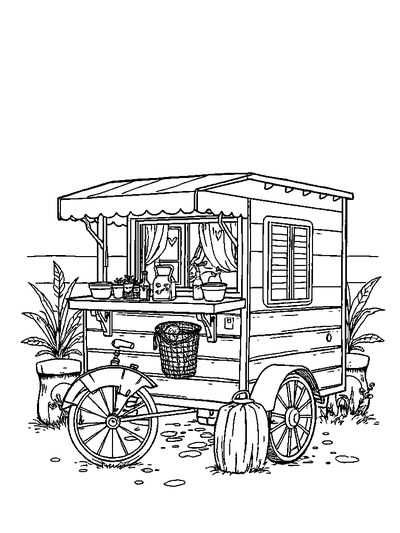
Roadside Caravan — Storybook Scene Without Characters Coloring Page
Frequently asked questions
Is coloring suitable for seniors?
Coloring is a leisure activity that many older adults enjoy, especially with larger areas and zoom. It is not medical care and does not treat or prevent cognitive conditions. If a senior has vision, motor, or cognitive concerns, consult a qualified professional before starting a new activity.
How can caregivers use coloring for respite?
Caregivers can use short coloring sessions as a brief, contained break. ColorDood saves progress to an on-device gallery, so a session can pause and resume. No login and no ads keep setup minimal. Even 10 minutes of calm coloring can be a useful reset between tasks.
Does ColorDood support accessibility for seniors?
ColorDood includes pinch-to-zoom, undo, and simple tools, and it runs on iPhone, iPad, and Android. Larger screens like iPad help. Pages with fewer, larger areas are easier to color. The full offline library download is a Premium feature, while 250+ free pages are available to start.
Does ColorDood need internet or an account for seniors to color?
No account is needed. ColorDood keeps your gallery and coloring progress on your device, and core tools and saved pages work with no WiFi once pages are available on your device. That makes it easy to color in a care setting, waiting room, or home without depending on a connection.
What pages are best for seniors and caregivers?
Pages with larger areas and simpler shapes are easiest: florals, fruit, homes, and gentle patterns. ColorDood's free tier includes 250+ pages, and Daily Calm rotates one featured page per day. Premium unlocks 4,500+ pages and 50+ palettes for more choice.
Ready to play a free coloring game?
Download ColorDood — free AI adult coloring book and coloring game with 250+ free pages (4,500+ with Premium), 50+ color palettes, PDF & HD exports (Premium), and no login required.
