
Guides
ColorDood vs Procreate for Adult Coloring: Which Should You Use in 2026?
Procreate is a full illustration studio; ColorDood is a calm coloring app. This guide compares ColorDood vs Procreate for adult coloring so you can pick the right tool for relaxing, not for producing art.
Updated November 20, 2026 · 13 min read · 1,378 words
ColorDood vs Procreate is a comparison between two different jobs. Procreate, made by Savage Interactive, is a full-featured illustration and painting application for iPad that turns the tablet into a digital studio. ColorDood is a coloring game and coloring app built for mindful freehand coloring: it ships curated pages, AI line art, and calm tools so you can start coloring in seconds. Both can produce beautiful results, but they optimize for different outcomes.
In 2026 the choice matters more than it used to. Many adults want the tactile joy of Apple Pencil coloring without committing to a professional workflow, while others want the full power of layers, brushes, and custom canvases. This guide compares ColorDood and Procreate across page sourcing, tools, learning curve, pricing, offline use, and family safety so you can match the app to your actual habit.
What is Procreate and what is it best at?
Procreate is a raster illustration app for iPad, widely regarded as the benchmark for digital painting on Apple tablets. It offers hundreds of brushes, layer management, blending modes, animation assist, and deep Apple Pencil integration with pressure and tilt. For artists, designers, and hobbyists who want to draw original characters, scenes, or lettering, it is an excellent value at a one-time price.
- **Original art first:** Procreate starts from a blank canvas and expects you to draw or import everything.
- **Deep toolset:** Layers, masks, hundreds of brushes, and professional exports for serious illustration work.
- **Apple-only:** Procreate runs on iPad (and iPhone via Procreate Pocket), so Android households need a different app.
- **Learning curve:** The power is real, but beginners spend time learning brushes, layers, and canvas setup before coloring.
What is ColorDood and what is it best at?
ColorDood is a freehand coloring app and coloring game for adults and families on iPhone, iPad, and Android. Instead of a blank canvas, it gives you 250+ free curated pages (4,500+ with Premium) plus Imagine it AI line art so you can color immediately. Its 11 freehand tools — brush, pencil, marker, watercolor, neon, glitter, smudge, and more — plus 10 palettes and zoom support Apple Pencil without turning into a studio.
- **Ready-to-color pages:** Geometric patterns, florals, architecture, landscapes, and objects, all family-safe and halal-friendly.
- **AI line art:** Imagine it turns a short prompt into clean black-and-white outlines — Free 1/day, Premium 5/day.
- **Offline-first:** Pages and tools work without Wi-Fi or a login; Premium adds full offline library download.
- **Calm by design:** No social feed pressure, no coin economy, no weekly subscription trap — Premium is $4.99/month or $49.99/year.
ColorDood vs Procreate: side-by-side comparison
| Feature | ColorDood | Procreate |
|---|---|---|
| Primary purpose | Mindful freehand coloring | Professional illustration and painting |
| Page sourcing | 250+ free / 4,500+ Premium curated pages + AI line art | Blank canvas; import or draw your own line art |
| Freehand brushes | 11 calm tools + 10 palettes | Hundreds of professional brushes + layers |
| Apple Pencil | Supported on iPad with pressure-aware brushes | Industry-leading pressure and tilt support |
| AI coloring pages | Imagine it: Free 1/day, Premium 5/day | None built in |
| Offline use | Full offline play; Premium library download | Fully offline once installed |
| Platforms | iPhone, iPad, and Android | iPad (plus Procreate Pocket on iPhone) |
| Pricing | Free; Premium $4.99/month or $49.99/year | One-time ~$12.99 on iPad |
| Family-safe curation | Scholar-guided, halal-friendly library | Neutral tool; content depends on you |
| Learning curve | Minutes to start coloring | Hours to master studio tools |
When Procreate is the better choice
Procreate shines when coloring is only one step in a larger creative project. If you want to sketch original characters, build complex scenes with dozens of layers, animate, or export print-ready illustrations, Procreate’s depth is worth the learning curve. It is also a strong pick if you already own an iPad and prefer a single one-time payment over any subscription.
- You want to draw your own line art, not color someone else’s.
- You need advanced layers, masks, and professional brush control.
- You color occasionally but use the tablet for other art projects too.
- You are comfortable sourcing or creating coloring pages yourself.
When ColorDood is the better choice
ColorDood wins when the goal is relaxation, not production. If you want to open the app and start coloring in under a minute, without layers or setup, ColorDood is purpose-built for that. It is also the better fit for households that share devices, color on Android, or want family-safe, halal-friendly art without sorting a feed.
- You want curated pages and AI line art instead of a blank canvas.
- You value offline play, no login, and a calm interface on phone or tablet.
- You color on Android or share an iPad across family members.
- You prefer predictable pricing: Free daily use or $4.99/month Premium.
The Apple Pencil question
Both apps support Apple Pencil, but they use it differently. Procreate treats the pencil as a professional instrument with tilt shading, pressure curves, and brush engines tuned for artists. ColorDood uses Apple Pencil for comfortable freehand coloring: pressure-aware strokes, zoom for fine detail, and optional boundary-aware painting when you want cleaner edges inside shapes. Most adult colorists find ColorDood’s lighter approach less fatiguing for 20-minute wind-down sessions.
Pricing and value in 2026
Procreate’s ~$12.99 one-time price is famously fair for a pro-grade tool. ColorDood’s model is different: free core use with a low, flat Premium. Free includes 250+ pages, core tools, and 1 AI generation per day. Premium adds 4,500+ pages, 50+ palettes, all tools, 5 AI generations per day, PDF and HD exports, and offline library download for $4.99/month or $49.99/year. If you color weekly, Premium’s bundled pages and AI generations usually beat buying or sourcing pages separately.
Family safety and content curation
Procreate is a neutral creative tool: it does not curate what you color. That freedom is ideal for artists but means parents must manage content themselves. ColorDood is intentionally scholar-guided and family-safe: geometric patterns, architecture, florals, landscapes, and objects — not human figures, animal anatomy, holiday packs, or licensed characters. If you want a space where anyone can open the app without screening content first, ColorDood is designed for that.
The verdict
Choose Procreate if you want a professional iPad studio for original art, layers, and deep brush control, and you are happy to source or draw your own coloring pages. Choose ColorDood if you want to relax with curated or AI-generated pages, freehand brushes, offline play, family-safe art, and predictable $4.99/month Premium on iPhone, iPad, and Android. Many colorists keep both: Procreate for creative projects, ColorDood for nightly wind-down coloring.
- **Procreate:** best for original illustration and advanced iPad art.
- **ColorDood:** best for ready-to-color freehand relaxation and AI pages.
- **Both:** Apple Pencil friendly, but optimized for different outcomes.
- **Pricing:** Procreate ~$12.99 once; ColorDood Free or $4.99/month Premium.
Free line art
Pages you can print from this guide
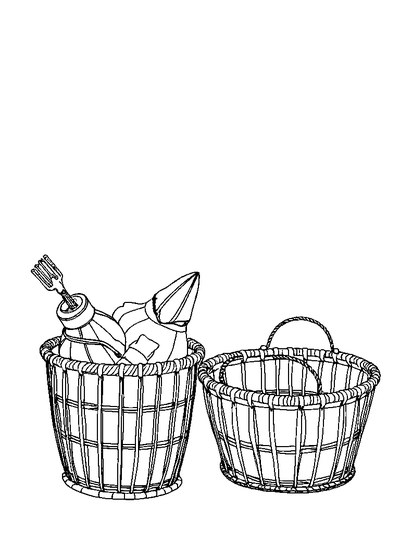
Every thumbnail is a real page from the ColorDood library. Open one to download the PNG or print a PDF — no signup.


Frequently asked questions
Is ColorDood a replacement for Procreate?
No. Procreate is a professional illustration and painting app for iPad. ColorDood is a coloring app built around ready-to-color pages, freehand brushes, and AI line art. Choose Procreate if you want to draw from a blank canvas; choose ColorDood if you want to relax by coloring existing outlines.
Can I use Procreate for adult coloring pages?
Yes. Many people import line art into Procreate and color it with its brushes. That workflow is powerful but manual: you source or draw the page, manage layers, and learn the interface. ColorDood removes that setup by shipping 250+ free and 4,500+ Premium curated pages plus Imagine it AI generation.
Which is cheaper, ColorDood or Procreate?
Procreate is a one-time purchase of about $12.99 on iPad. ColorDood is free to download with 250+ pages, core tools, and 1 AI generation per day; Premium is $4.99/month or $49.99/year for 4,500+ pages, 50+ palettes, all tools, 5 AI generations per day, exports, and offline library download. Pick the model that matches how often you color.
Does ColorDood support Apple Pencil?
Yes. ColorDood runs on iPhone, iPad, and Android, and supports Apple Pencil on iPad with pressure-aware freehand brushes, zoom for fine detail, and optional boundary-aware painting. It is lighter than a full studio app, which many colorists prefer for wind-down sessions.
Which app is better for family-safe coloring?
ColorDood is built around a scholar-guided, family-safe, halal-friendly library with geometric patterns, florals, architecture, and landscapes — no human figures, animal anatomy, holiday packs, or licensed characters. Procreate is a neutral tool: what you create or import is up to you, which is ideal for artists but requires curation for family use.
Ready to play a free coloring game?
Download ColorDood — free AI adult coloring book and coloring game with 250+ free pages (4,500+ with Premium), 50+ color palettes, PDF & HD exports (Premium), and no login required.
